
1. The short answer
For running a local LLM on an external GPU, the link between your computer and the GPU matters much less than most comparisons suggest, and much more in a few specific situations. Once a model is fully loaded into the external card’s VRAM, generating text sends very little data across the cable, so OCuLink, USB4 and Thunderbolt 5 all perform close to the same GPU in a desktop slot. The link starts to hurt when data has to move in bulk: loading or swapping models, running a model that does not fit in VRAM, or splitting one model across two GPUs.
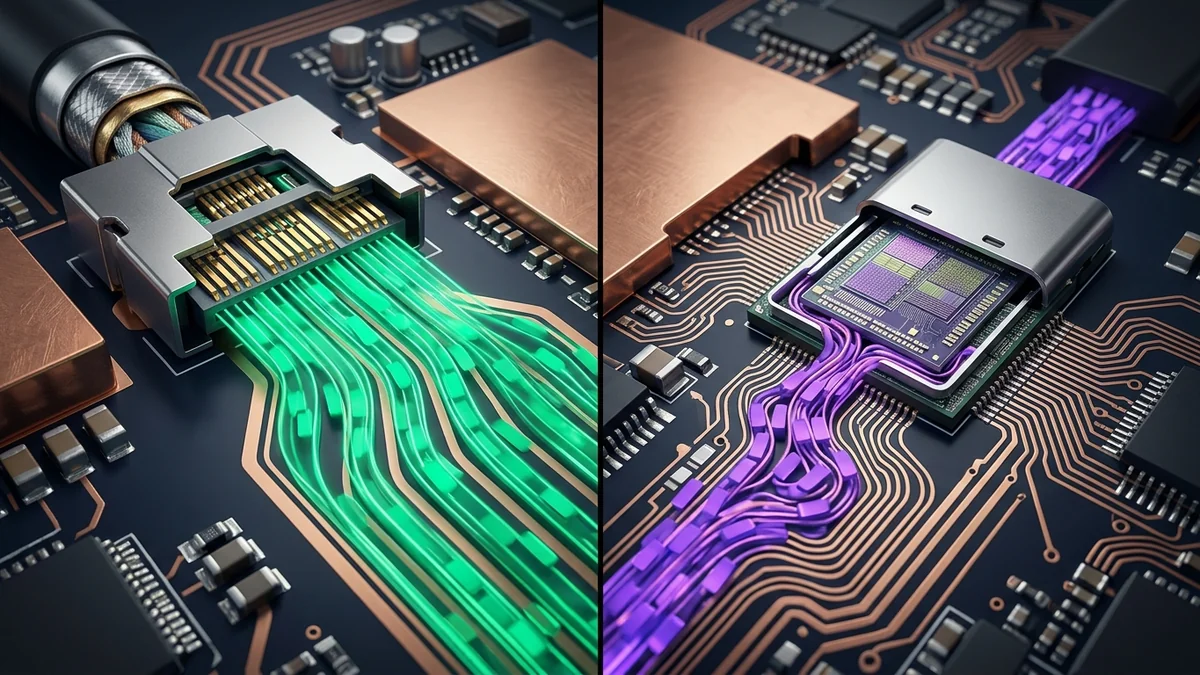
In raw numbers, OCuLink at PCIe 4.0 x4 offers about twice the usable PCIe bandwidth of a USB4 (40 Gbit/s) or Thunderbolt 3/4 eGPU, and roughly the same PCIe bandwidth as Thunderbolt 5. Thunderbolt 5 adds power, display and USB over one cable and supports hot-plugging; OCuLink is a bare PCIe cable that does none of that.
2. What each interface actually carries
| Interface | Headline speed | PCIe data path to the GPU | Usable PCIe bandwidth, per direction | Also carries |
|---|---|---|---|---|
| OCuLink (SFF-8611/8612), PCIe 4.0 x4 | 64 Gbit/s raw | Native PCIe lanes, no tunnelling | ≈ 63 Gbit/s after 128b/130b encoding, about 7.9 GB/s | Nothing else: no power, display or USB |
| USB4 (40 Gbit/s) / Thunderbolt 3 and 4 | 40 Gbit/s | PCIe tunnelled through the USB4/Thunderbolt controller; eGPU enclosures typically expose a PCIe 3.0 x4-class link | At most ≈ 31.5 Gbit/s, about 3.9 GB/s; real host-to-device copy rates reported by users are usually lower because of tunnelling overhead | Power delivery, DisplayPort, USB |
| Thunderbolt 5 (based on USB4 Version 2.0) | 80 Gbit/s symmetric; up to 120 Gbit/s one way with Bandwidth Boost | PCIe tunnelled; Intel specifies up to 64 Gbit/s of PCIe data (PCIe 4.0 x4 class) | Up to about 7.9 GB/s in theory, minus tunnelling overhead | Power delivery, DisplayPort, USB |
| For reference: desktop PCIe 4.0 x16 slot | 256 Gbit/s raw | Native PCIe | About 31.5 GB/s | — |
Two practical notes. The 120 Gbit/s Bandwidth Boost mode of Thunderbolt 5 exists mainly to drive high-resolution displays; it does not lift the PCIe tunnel above its 64 Gbit/s limit. And Thunderbolt 5 hosts and enclosures are still far less common than USB4 ports, so check that both ends of your setup actually support it before you plan around it.
3. Where the link matters for local AI, workload by workload
Single GPU, model fully in VRAM: almost no impact
During generation, the runtime sends token IDs to the GPU and reads back the output logits for the last token. A model with a 151,936-token vocabulary (Qwen family) returning FP32 logits moves about 151,936 × 4 bytes ≈ 0.6 MB per token. Illustrative calculation: at 50 tokens per second that is roughly 30 MB/s, which is well under 1% of what even a USB4 eGPU can carry. Here the GPU’s own memory bandwidth decides speed, not the cable.
Loading a model: a one-off cost
Weights must cross the link once when a model is loaded. Illustrative floor for a 20 GB model: 20 ÷ 7.9 ≈ 2.5 seconds over OCuLink or Thunderbolt 5 at full PCIe 4.0 x4 rate, versus 20 ÷ 3.9 ≈ 5.1 seconds at the PCIe 3.0 x4 ceiling of a USB4 enclosure. In practice the SSD you read the file from, and the time to set up the runtime, often matter as much as the cable. If you load a model once and keep it resident, this difference barely registers.
Swapping models in ComfyUI or between LLMs: the link matters a lot
Image pipelines are where eGPU users notice the cable. FLUX.1-dev’s transformer is about 23.8 GB in FP16 or about 11.9 GB in FP8, and its T5-XXL text encoder is roughly another 9.8 GB in FP16. On a card that cannot hold everything at once, ComfyUI unloads and reloads models between stages. Illustrative floor for moving 12 GB: about 1.5 seconds per swap at 7.9 GB/s versus about 3.1 seconds at 3.9 GB/s. Multiply that by two or three swaps per image and several hundred images, and the faster link saves real time. The same applies if you switch between several LLMs during a session.
Models larger than the eGPU’s VRAM: depends on the phase
If you split a model between the external GPU and system RAM (for example, llama.cpp with -ngl set below the full layer count), the layers left on the CPU run at system-memory speed, which is usually the real bottleneck. During generation, only small activation vectors cross the link at each split point (for a hidden size of 5,120 at FP16, about 10 KB per token per crossing), so the cable is not the limit. During prompt processing it can be: llama.cpp’s CUDA backend may copy CPU-resident weights to the GPU to process large batches, and when that happens the link bandwidth directly sets the cost. A PCIe 4.0 x4 link roughly halves that transfer time compared with a PCIe 3.0 x4 tunnel.
Two GPUs: prefer layer splitting over tensor parallelism
Tensor parallelism synchronizes the GPUs twice per transformer layer for every token. Over an x4 link, and especially over a tunnelled one, that constant back-and-forth costs far more than it does between GPUs in x16 slots. Layer (pipeline) splitting, the default --split-mode layer in llama.cpp, passes activations only at the boundary between GPUs and is the better choice for eGPU setups.
4. Setting up an OCuLink or Thunderbolt eGPU for inference
- OCuLink is not designed for hot-plugging. Connect and power the enclosure before booting, and shut down before disconnecting.
- The enclosure needs its own power supply sized for the GPU. OCuLink carries no power; Thunderbolt 5 power delivery charges the laptop, it does not power a desktop GPU.
- Thunderbolt devices may need authorization on Linux (
boltctl) before the GPU appears on the PCIe bus. - Check the negotiated link. A loose cable or a BIOS setting can leave an OCuLink port running at PCIe 3.0, silently halving bandwidth. The commands below show how to check.
- Match the software stack to the GPU. NVIDIA cards use CUDA. AMD Radeon cards, including those in many handheld-maker eGPU docks, run llama.cpp through Vulkan or ROCm, and ROCm support varies by GPU model.
5. Commands to verify your own link
# 1. NVIDIA: current and maximum PCIe generation and width
#    (run under load: links often drop to a lower generation at idle to save power)
nvidia-smi --query-gpu=name,pcie.link.gen.current,pcie.link.gen.max,pcie.link.width.current,pcie.link.width.max --format=csv

# 2. Any GPU: negotiated link speed and width (16GT/s = PCIe 4.0, 8GT/s = PCIe 3.0)
sudo lspci -vv | grep -A 40 -E 'VGA|3D controller' | grep -E 'LnkCap:|LnkSta:'

# 3. Thunderbolt / USB4: list and authorize devices
boltctl list

# 4. Measure pinned host-to-device copy speed with PyTorch (NVIDIA or ROCm builds)
cat > h2d_test.py <<'EOF'
import time, torch
x = torch.empty((1024, 1024, 512), dtype=torch.float16, pin_memory=True)  # 1 GiB
y = torch.empty_like(x, device="cuda:0")
y.copy_(x); torch.cuda.synchronize()          # warm-up
t0 = time.perf_counter()
for _ in range(20):
    y.copy_(x, non_blocking=True)
torch.cuda.synchronize()
dt = time.perf_counter() - t0
print(f"Pinned H2D: {x.numel() * 2 * 20 / dt / 1e9:.2f} GB/s")
EOF
python3 h2d_test.py
Compare the result with the theoretical figures in Section 2: a healthy PCIe 4.0 x4 link should land well above the 3.9 GB/s ceiling of a PCIe 3.0 x4 tunnel. If it does not, check the cable, the BIOS PCIe setting for the port and the link width reported by lspci.
Limitations and trade-offs
- OCuLink is a cable, not a dock. You still need a separate monitor connection for the eGPU, a power supply and a USB hub if you want one-cable convenience. Thunderbolt 5 does all of that over a single cable.
- Thunderbolt 5 support is still limited. Few laptops and handhelds have it, enclosures are more expensive, and real-world PCIe throughput through the tunnel will sit somewhat below the 64 Gbit/s specification.
- x4 is still x4. Even the best external link has about a quarter of the bandwidth of a desktop x16 slot. Workloads that constantly stream data to the GPU, such as heavy model swapping or tensor parallelism, will always be slower than inside a desktop.
- Our timings are floors. All transfer times in this article are bandwidth calculations. Driver overhead, PCIe payload sizes and storage speed add to them.
6. Which link should you choose?
- You load one LLM and chat with it: any of the three works. USB4 is fine, and its convenience may outweigh the bandwidth difference.
- You swap models often (ComfyUI, FLUX, several LLMs) or run models larger than VRAM: choose OCuLink or Thunderbolt 5 for the PCIe 4.0 x4-class link. OCuLink is the cheaper and more widely available route today, especially on handhelds and mini PCs that include the port.
- You need several GPUs or a model that needs 48 GB or more of VRAM around the clock: an eGPU is the wrong tool. A desktop with x16 slots or a rented dedicated GPU server will serve you better.
Handhelds and mini PCs with a built-in OCuLink port
Verified technical partner. Direct secure access.
Browse OneXPlayer devices with OCuLink →